
Minecraft Pixel Art Generator
Turn a photo or drawing into a Minecraft build plan. Pick wool or concrete, preview the block layout, and download a PNG with a separate materials list. Free to use in your browser.
Image & build settings
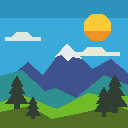
Mountain sunset sample
Block preview
Generating preview…
How to build from an image
- Upload a PNG, JPG, GIF, or WebP, or try the mountain sample. Images are processed on your device.
- Start with a 16 × 16 or 32 × 32 grid for a simple shape. Pick a larger grid up to 128 × 128 for more detail.
- Choose wool or concrete, then check the preview. Each colored square represents one block.
- Download the PNG for placement and the materials CSV to see how many of each block to gather.
Block colors, transparency, and map art
- Which blocks does the generator use?
- The generator matches each visible cell to one of 16 approximate wool or concrete colors. The CSV lists the block name, ID, count, and preview color. See the Minecraft block listing.
- What do empty squares mean?
- Leave those cells empty when building. Transparent pixels and padding from Keep full image can produce empty cells.
- Can I use the plan for map art?
- Use the grid to place blocks for floor art or a mural. For an in-game map, test a small patch of colors in your world before building the full image.